
What Is Fliper? A Beginner’s Guide to the Flipper Zero
Explore Flipper Zero: RFID, NFC, Infrared, and Radio Signals
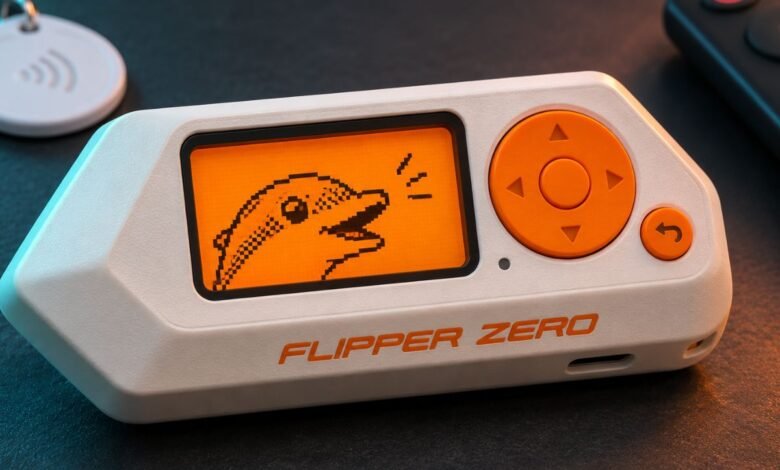
A TV remote, an office badge, and a garage door opener have something in common. Each sends a signal that tells another device what to do. The Flipper Zero lets you explore how some of those signals work from a pocket-sized gadget with a small screen and a digital dolphin.
If you searched for fliper, you’re probably looking for Flipper Zero, the official name of the device. It brings several electronics tools together so you can learn how remotes, tags, and other compatible hardware communicate. What it can do depends on the technology inside the device you’re testing.
Profile Summary
| Detail | Quick information |
|---|---|
| Official name | Flipper Zero |
| Maker | Flipper Devices |
| Device type | Portable electronics and security testing tool |
| Main features | Sub-GHz radio, RFID, NFC, infrared, GPIO, and BadUSB |
| Built-in Wi-Fi | No |
| Best suited for | Electronics learning, hardware projects, and authorized testing |
| Related device | Flipper One, a portable Linux computer |
How Flipper Zero Got Started
Flipper Zero began as a Kickstarter project in 2020. Its creators brought tools for working with radios, cards, and electronics into a handheld device with physical buttons and a screen. You could explore a signal or scan a compatible tag right from the menu, without setting up a computer for every task.
The digital dolphin is part of that design. It gives the device the feel of a virtual pet, while the menus let you switch between tools. That playful look is one reason the Flipper Zero stands out in a field full of circuit boards and plain plastic boxes.
What Can Fliper Do With Radio Signals?
The Flipper Zero has a Sub-GHz radio, which works with certain signals below 1 GHz. Wireless doorbells, remote switches, and some garage door openers use frequencies in this range. Its frequency analyzer can help you identify the frequency a remote uses. The device can also save and replay signals from supported fixed-code remotes.
A fixed-code remote sends the same code each time you press a button. A rolling-code remote changes the code with each use, so replaying an old recording generally won’t work. Two garage remotes can look almost identical while using very different systems. That’s why the model and protocol matter more than the shape of the remote.
How Flipper Zero Reads RFID and NFC Tags
Flipper Zero supports 125 kHz RFID and 13.56 MHz NFC. You’ll find low-frequency RFID in some older access badges and key fobs. NFC is common in smart cards, programmable tags, and other devices designed to communicate at close range.
Reading a tag and emulating it are different tasks. Reading means gathering whatever data the tag makes available. Emulating means presenting saved data to a reader as if the original tag were there. With some tags, the Flipper Zero can emulate more of the card’s behavior. With others, it may only read or present the card’s identifier. A reader that expects cryptographic authentication can require much more than that identifier.
Using Flipper Zero as an Infrared Remote
Infrared is one of the easiest features to try at home. If you have a compatible TV remote, the Flipper Zero can learn a command such as power or volume up, save it, and send it back to the TV. The same idea applies to some projectors, stereos, and air conditioners.
Try saving a single command first. Point the original remote at the Flipper Zero when teaching it, then point the Flipper Zero at the TV when testing it. Infrared usually needs a clear path to the receiver, so positioning can make the difference between a working command and an unresponsive screen.
What BadUSB and GPIO Are Used For
BadUSB lets the Flipper Zero act like a keyboard and enter a scripted sequence of keystrokes. On your own computer, a simple demonstration could open a text editor and type a short message. It’s a practical way to see how a computer handles input from a connected accessory.
The GPIO pins serve a different purpose. They let you connect compatible electronics, work with development boards, or inspect hardware connections. Optional accessories include a Wi-Fi development board. Check the pin layout and voltage requirements before connecting an external board.
Flipper Zero vs. Flipper One
Flipper Zero is built for tasks such as examining tags, testing compatible remotes, and working with small electronics. Flipper One is a separate ARM-based Linux computer designed around networking and software projects. Its hardware includes Wi-Fi 6E, two gigabit Ethernet ports, and a processor for accelerating certain local AI workloads.
If your first project involves an infrared remote or an RFID tag, Flipper Zero is the relevant device. If it calls for Linux networking tools or two wired network connections, Flipper One is designed for that kind of work.
What Should a Beginner Try First?
Start with something you own and can test easily. Learn a command from your TV remote or scan a spare NFC tag to see what information the device can read. An inexpensive programmable tag gives you room to experiment without involving an active access credential.
For shared equipment, get permission from the person responsible for it before testing. Keep any saved badge or remote data private.
Final Thoughts
Flipper Zero makes everyday electronics easier to understand. A small project can teach you why a TV remote needs a clear path, why a card’s identifier only tells part of the story, or why a saved garage remote signal might fail. If you’re new to fliper, start with a familiar device and see what happens when you test one feature at a time.
FAQs
1. Is fliper the same as Flipper Zero?
In gadget searches, fliper often refers to Flipper Zero, the official product name.
2. Can Flipper Zero open any garage door?
No. Compatibility depends on the opener’s radio protocol. Rolling-code systems generally reject previously recorded commands.
3. Can Flipper Zero clone a credit card?
No. Reading some contactless card data does not create a working payment card.
4. Does Flipper Zero have built-in Wi-Fi?
No. Wi-Fi functionality requires compatible external hardware.
5. Does Flipper Zero need a microSD card?
A microSD card stores databases and saved data used by many of its main features.
6. Do you need coding skills to use Flipper Zero?
Basic features such as scanning tags and learning infrared commands are available through built-in menus.
7. Can it replace a TV remote?
It can send saved commands to compatible infrared TVs. Bluetooth-only remotes use a different technology.
8. Is Flipper One a replacement for Flipper Zero?
They serve different purposes. Flipper One focuses on Linux and networking, while Flipper Zero focuses on signals, tags, and hardware testing.